因為弱掃HTTP Strict Transport Security(HSTS)未啟用。
問題調整了apache上的設定,導致網站上其他子網域未啟用https的網站無法開啟。
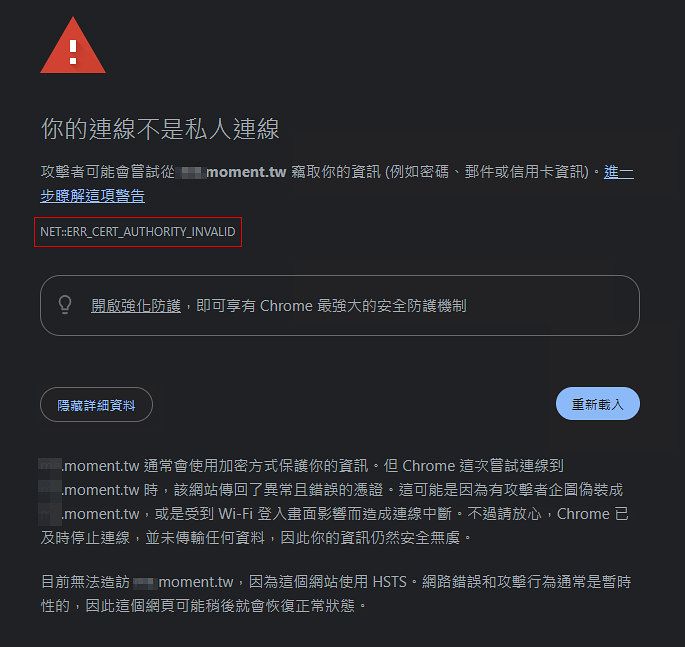
出現目前無法造訪 xx.moment.tw,因為這個網站使用 HSTS。
網路錯誤和攻擊行為通常是暫時性的,因此這個網頁可能稍後就會恢復正常狀態。
起因
弱掃問題HTTP Strict Transport Security(HSTS)
Description The remote web server is not enforcing HSTS, as defined by RFC 6797. HSTS is an optional response header that can be configured on the server to instruct the browser to only communicate via HTTPS. The lack of HSTS allows downgrade attacks, SSL-stripping man-in-the-middle attacks, and weakens cookie-hijacking protections. Solution Configure the remote web server to use HSTS.
這個弱掃項目是 HTTP Strict Transport Security(HSTS)未啟用,而是 Web Server HTTPS 回應 Header 缺少 Strict-Transport-Security。
修復方式是在 HTTPS VirtualHost 加上 HSTS Header。在apache加入
Header always set Strict-Transport-Security "max-age=31536000"範例
<VirtualHost *:443>
    ServerName example.com
    DocumentRoot /var/www/html

    SSLEngine on
    SSLCertificateFile /etc/ssl/certs/example.crt
    SSLCertificateKeyFile /etc/ssl/private/example.key

    Header always set Strict-Transport-Security "max-age=31536000; includeSubDomains"
</VirtualHost>
影響
加上這一個設定之後,沒想到造成其他子網域未啟用https的網站無法開啟。
因為有些是開發環境,不見得會走https,麻煩的是都進不去網站,怎養進行開發作業呢?
主要原因是設定上的includeSubDomains造成的。
如果有子網域還沒完全支援 HTTPS,則先不要加 includeSubDomains:
Header always set Strict-Transport-Security "max-age=31536000"解決方式
Apache恢復原始設定
移除原先在Apache上的設定或這在前方加上#
<VirtualHost *:443>
    ServerName example.com
    DocumentRoot /var/www/html

    SSLEngine on
    SSLCertificateFile /etc/ssl/certs/example.crt
    SSLCertificateKeyFile /etc/ssl/private/example.key

    # Header always set Strict-Transport-Security "max-age=31536000; includeSubDomains"
</VirtualHost>
解除瀏覽器 HSTS
解決方式在瀏覽器上刪除HSTS
Chrome / Edge 清除 HSTS
瀏覽器輸入
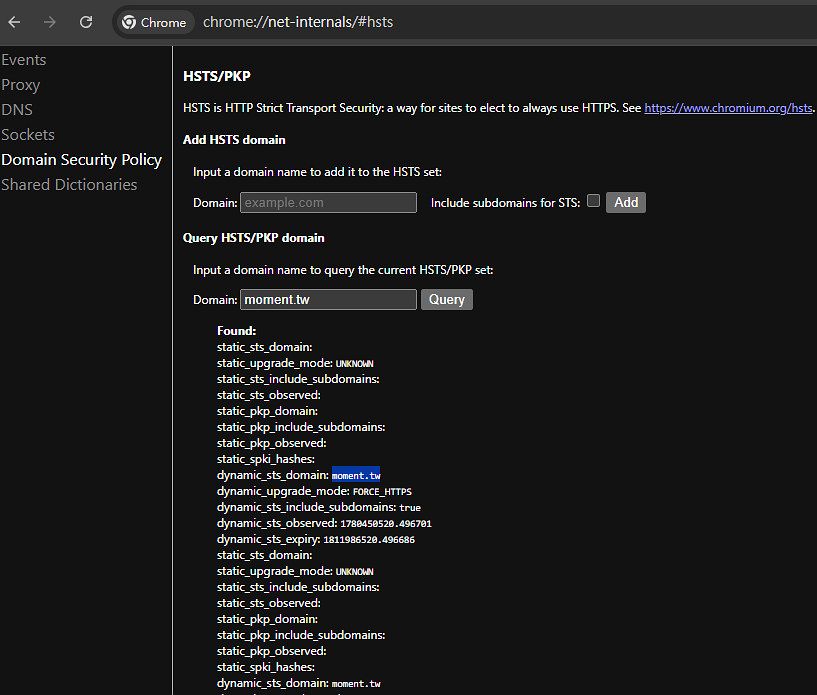
chrome://net-internals/#hstsQuery
先確認自己的網域在個人的瀏覽器上是否經被加入HSTS/PKP domain
下面的範例,就是已被加入。
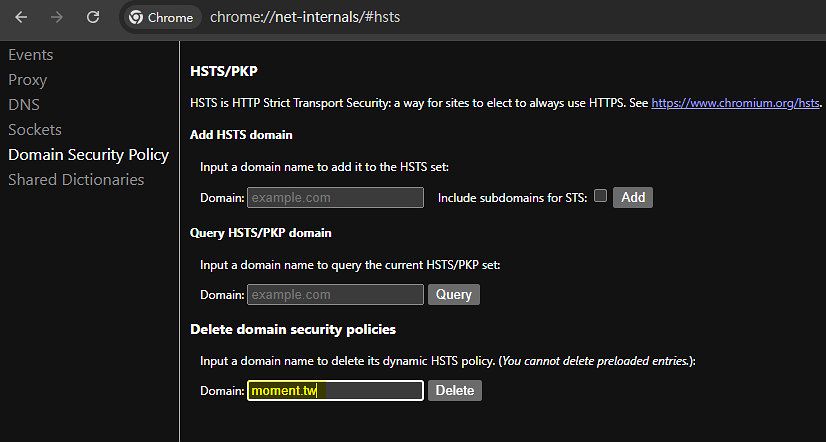
Delete
如果被加入HSTS/PKP domain,就Delete
再次Query
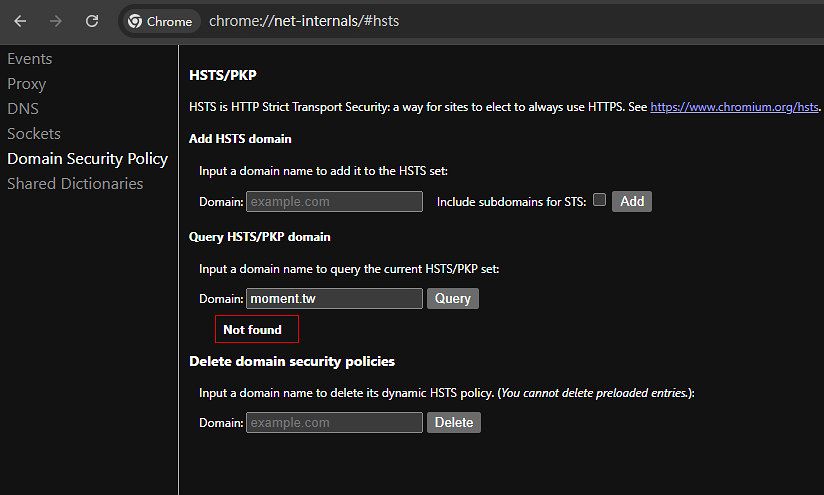
刪除完之後,開發環境的網頁就可以打開了
延伸閱讀
檢查方式 HSTS 是否生效
curl -I https://example.com如果看到
Strict-Transport-Security: max-age=31536000表示網站有啟用 HSTS。
注意:
HSTS 一旦被瀏覽器記住,就算 Apache 後來拿掉設定,瀏覽器仍可能在 max-age 期限內強制走 HTTPS。